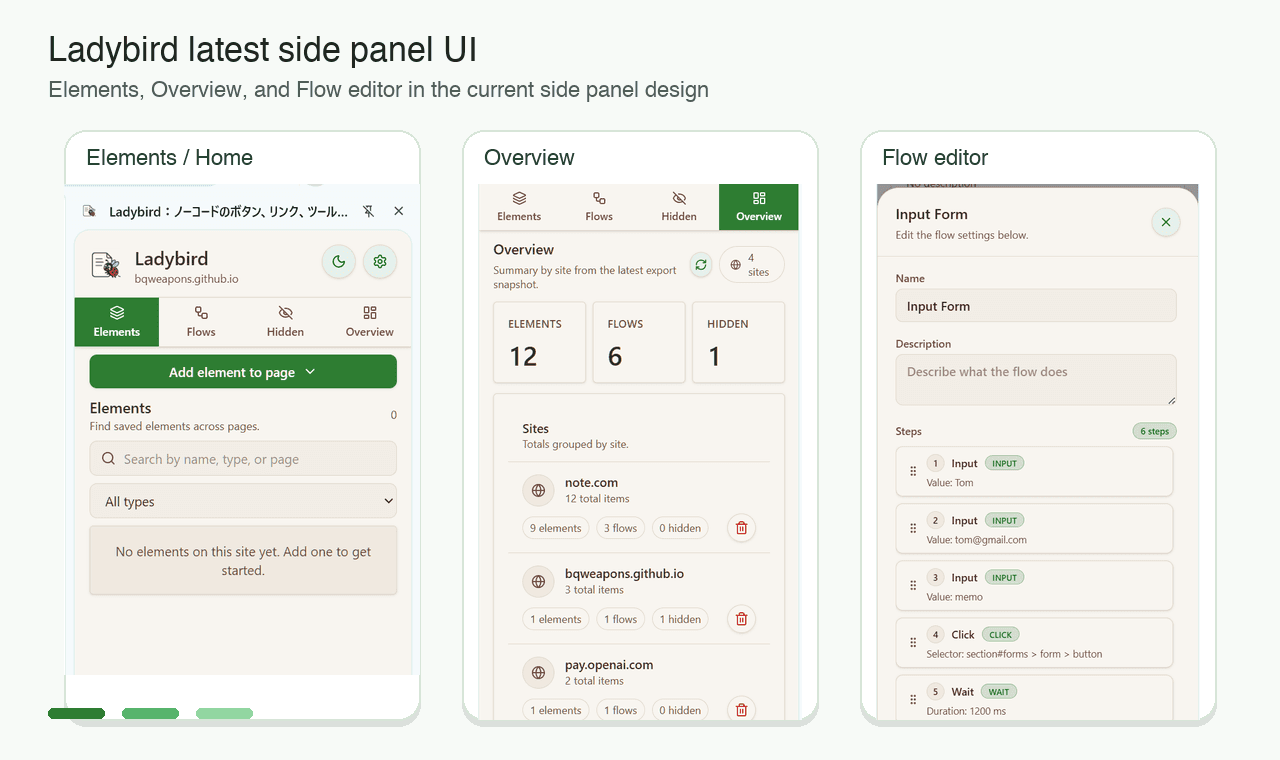
Screenshots
Background & challenge
Repetitive web work — filling forms row by row, batch clicking — is a daily burden for non-engineers. Writing scripts has a steep learning curve, while cloud automation SaaS requires handing business data to a third party. The goal: a no-code tool where data never leaves the browser, published through the Chrome Web Store's Manifest V3 review.
Solution
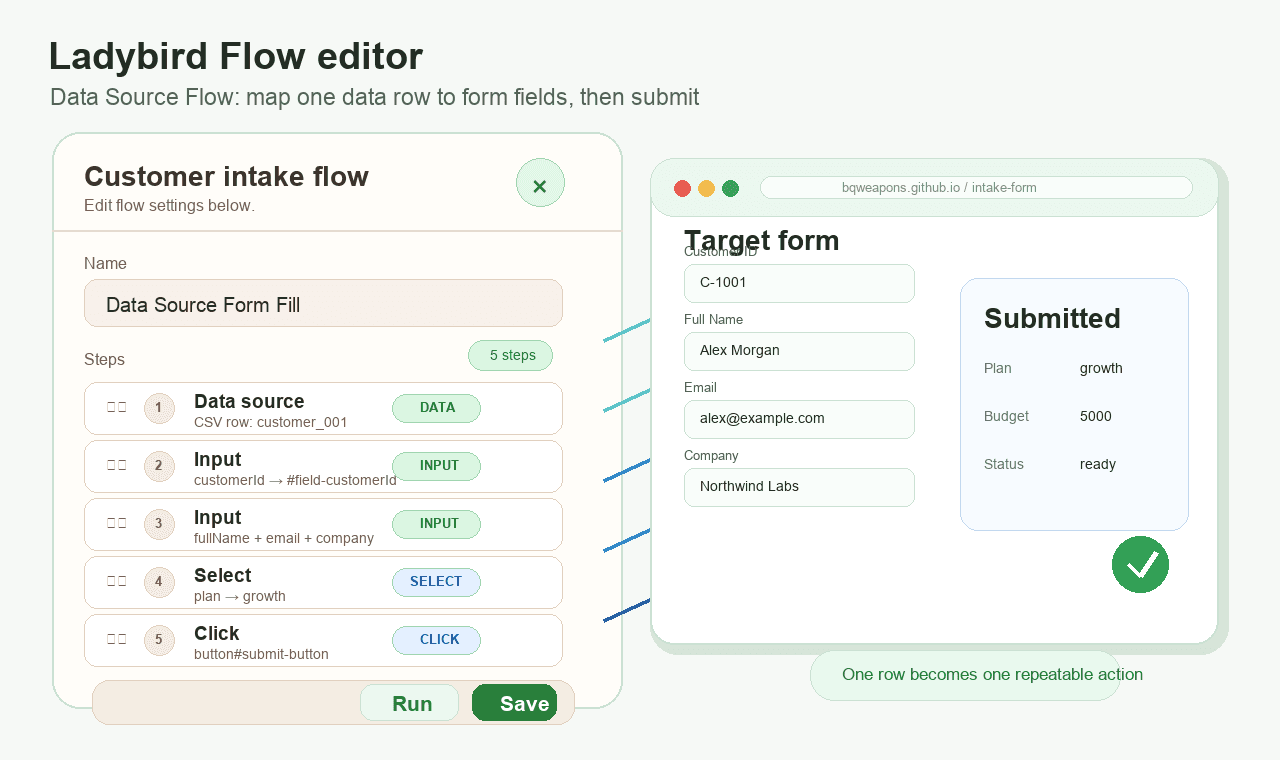
Built with Manifest V3 + WXT + React + TypeScript. A side panel manages page elements and automation flows in one place; the visual flow editor composes input, click, wait and data-source mapping steps into reusable flows that fill forms row by row and submit automatically. Hidden rules mute distracting page elements with one click, and credentials live in a locally encrypted vault. Prepared store listing assets, passed review, and keep shipping updates.
Outcomes
- Passed review and live on the Chrome Web Store, iterated to v2.x
- No-code: on-page buttons/links/tooltips plus a visual automation flow editor
- Data source flows: one data row maps to one form submission, automating batch tasks
- Credentials encrypted locally — business data never leaves the browser